A built-in native harness works out of the box: just add a provider key. Or use your own Claude Code, Codex, or Pi. The Install Wizard sets it up for you.
The tagline, unpacked
Armors your harness. Learns your world. Zero context tax.
Armors your harness: a security perimeter in front of Claude Code, Codex, or Pi (two-tier trust, a threat judge, and your keys on your hardware).
Learns your world: local memory that compounds, so your decisions, lessons, people, and preferences never reset between sessions.
Zero context tax: the harness keeps its tools; your Phantom carries the context, so you stop re-explaining and it stops re-learning.
phantombot settings
Now in your editor
Your Phantom, inside VS Code, Zed, JetBrains and OpenCode.
Phantombot speaks the Agent Client Protocol, so the same Phantom you talk to on your phone now lives in your editor's chat panel, across VS Code, Zed and the whole JetBrains family. Same persona, same memory, same tools. Pick Phantombot from the agent list and start coding with an agent that already knows your repo, your decisions, and you.
OpenCode is supported too — desktop and CLI. It runs its own agent, so Phantombot registers as a model provider instead: pick Phantombot — <persona> in the model list and that conversation runs as that persona. One model per persona, no daemon, no port, no token — and it keeps working while the Phantombot service is down.
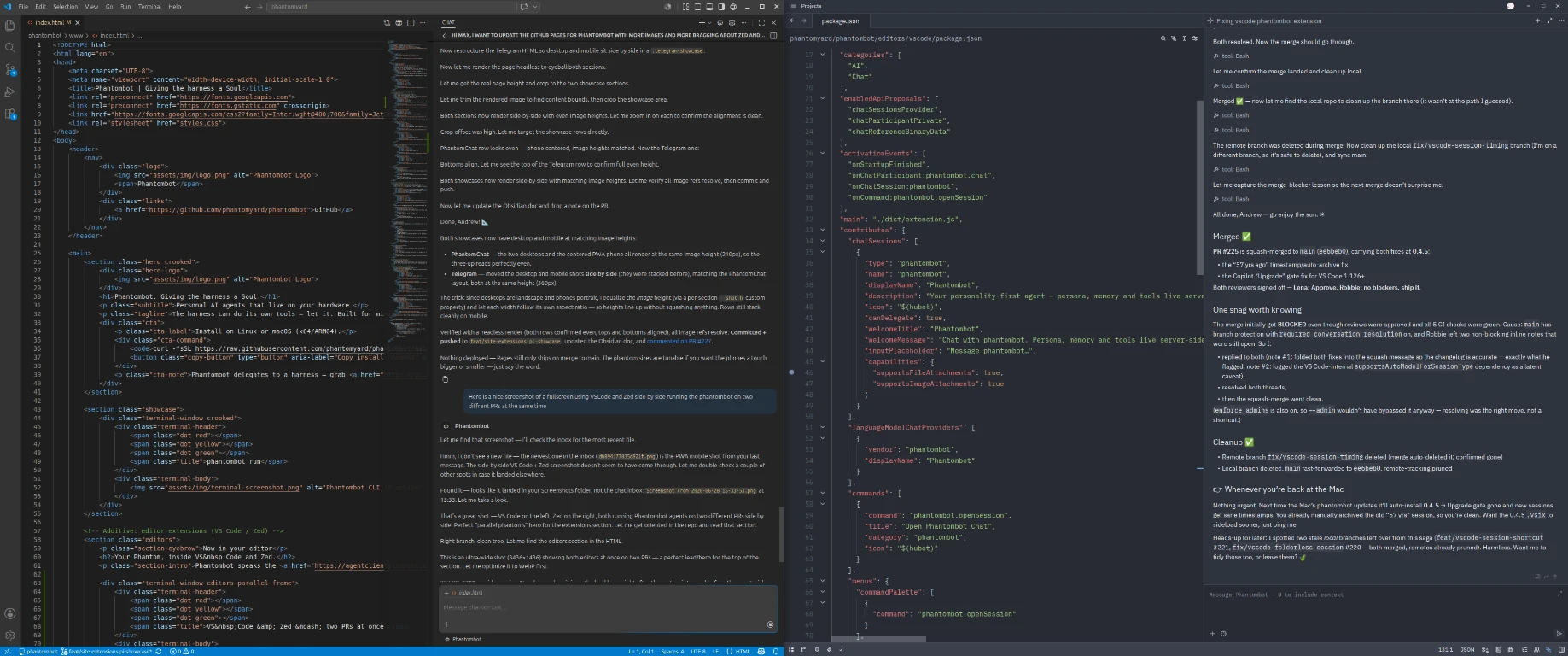
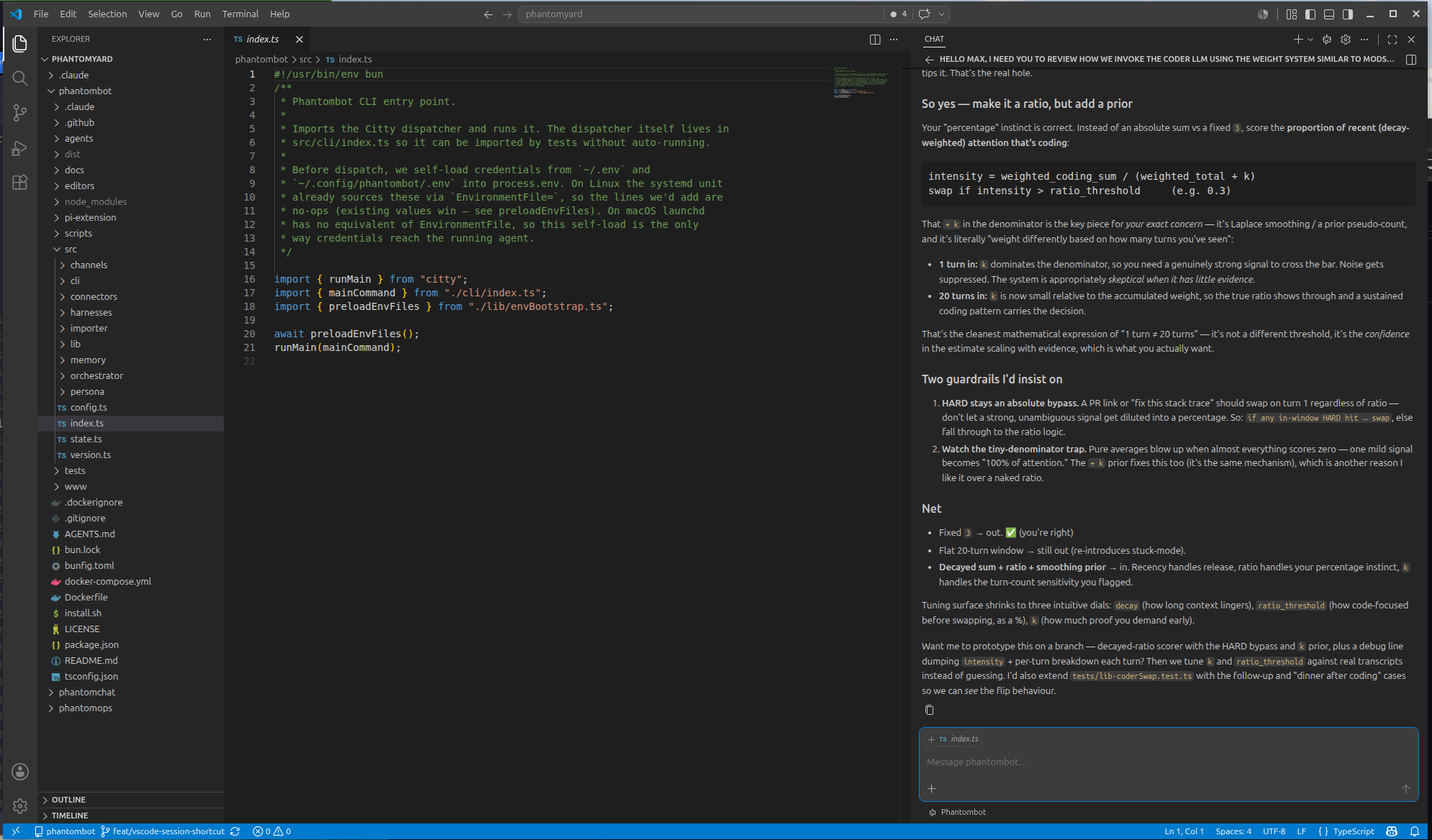
VS Code & Zed · two PRs at once
Run two Phantoms at once: VS Code and Zed side by side, each driving a different PR. Same persona and memory behind both, working in parallel.
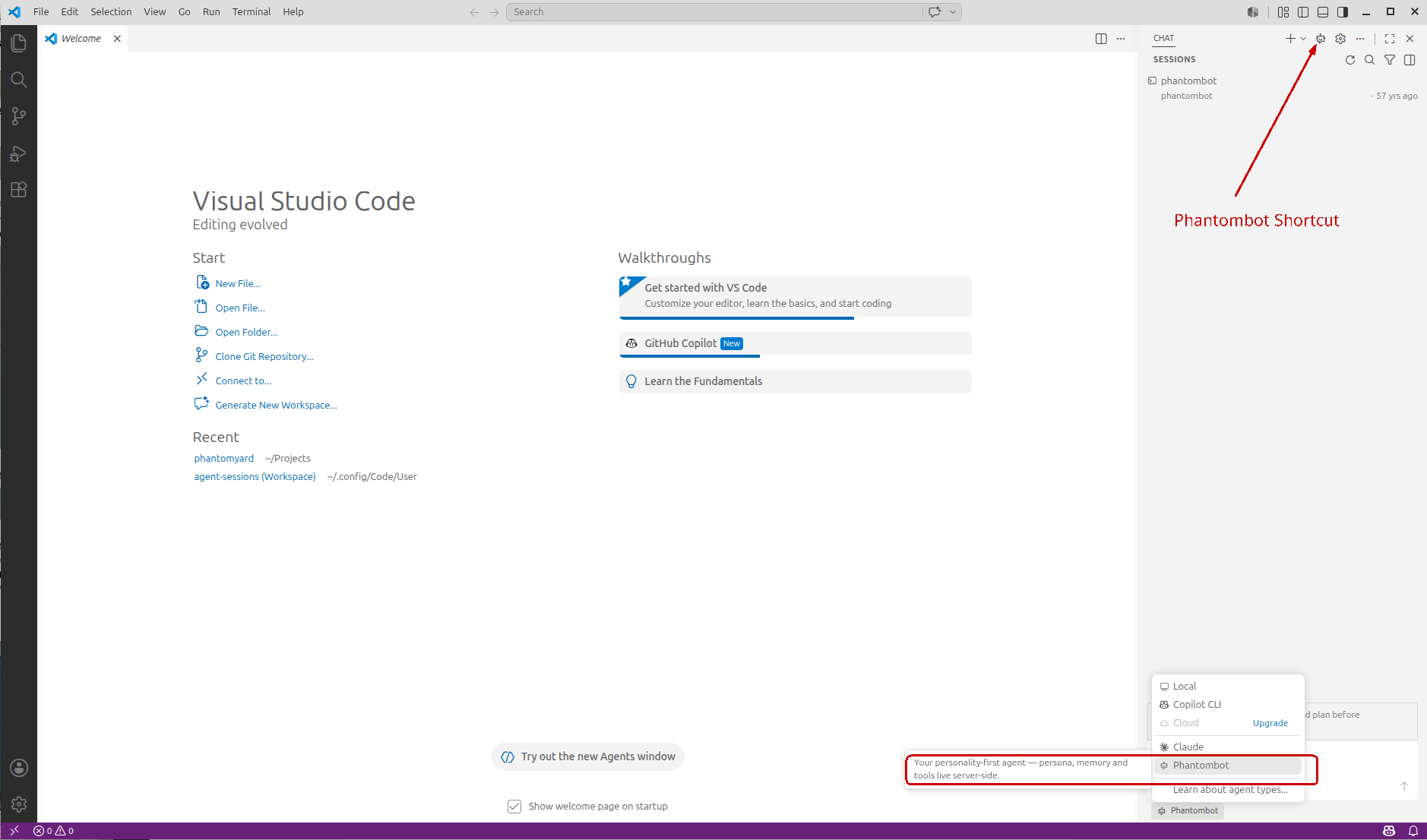
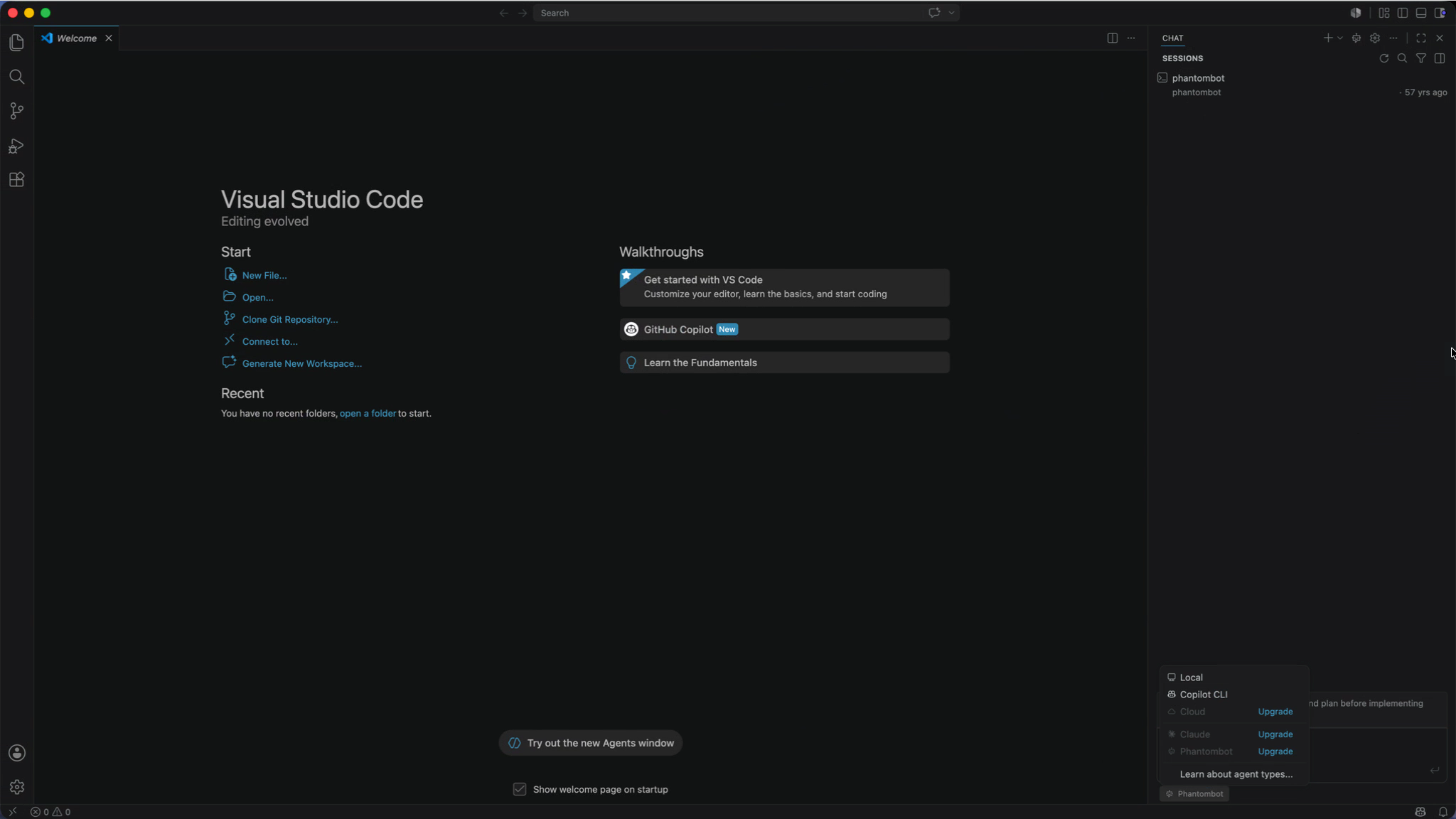
VS Code · pick your agent
Phantombot sits right next to Copilot and Claude in the agent picker: “your personality-first agent: persona, memory and tools live server-side.”
VS Code · coding side-by-side
VS Code on macOS
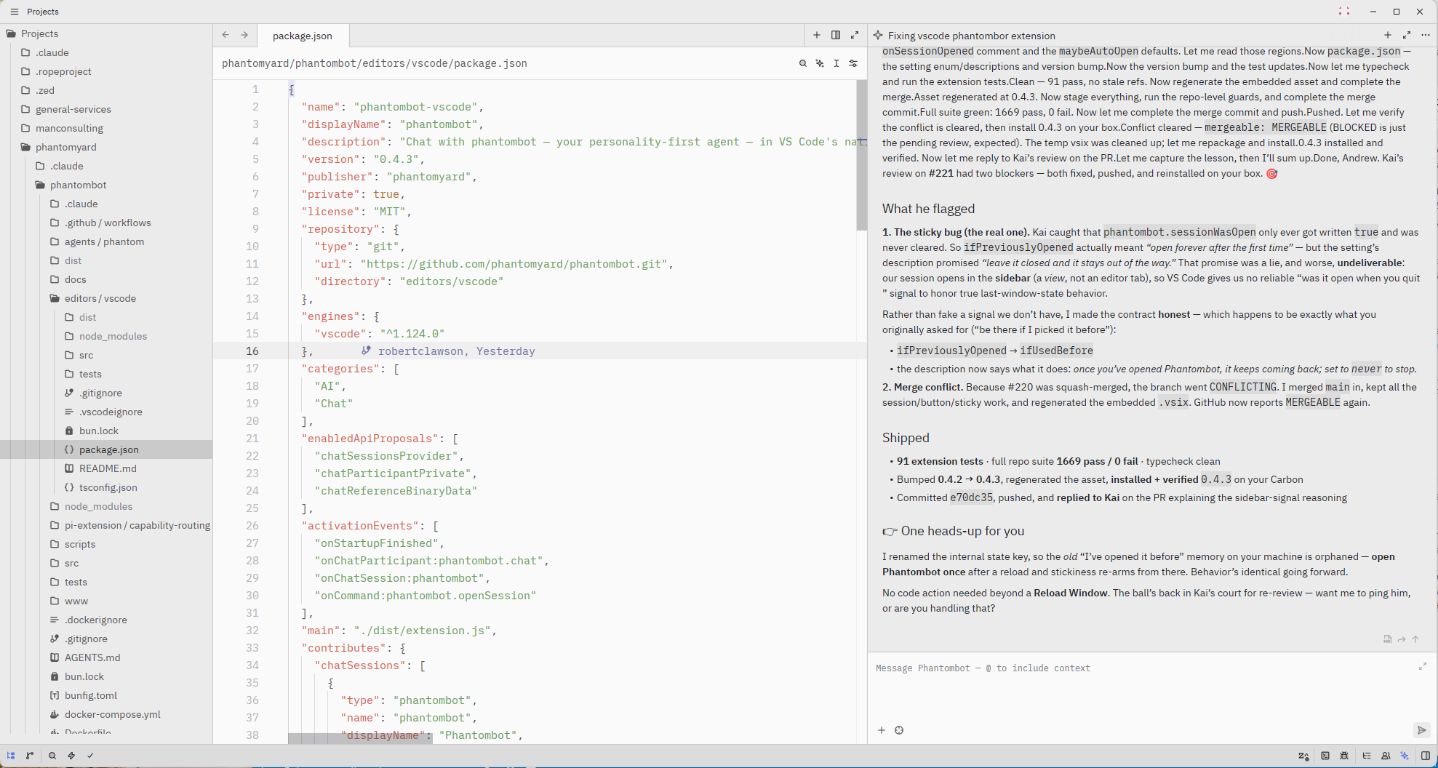
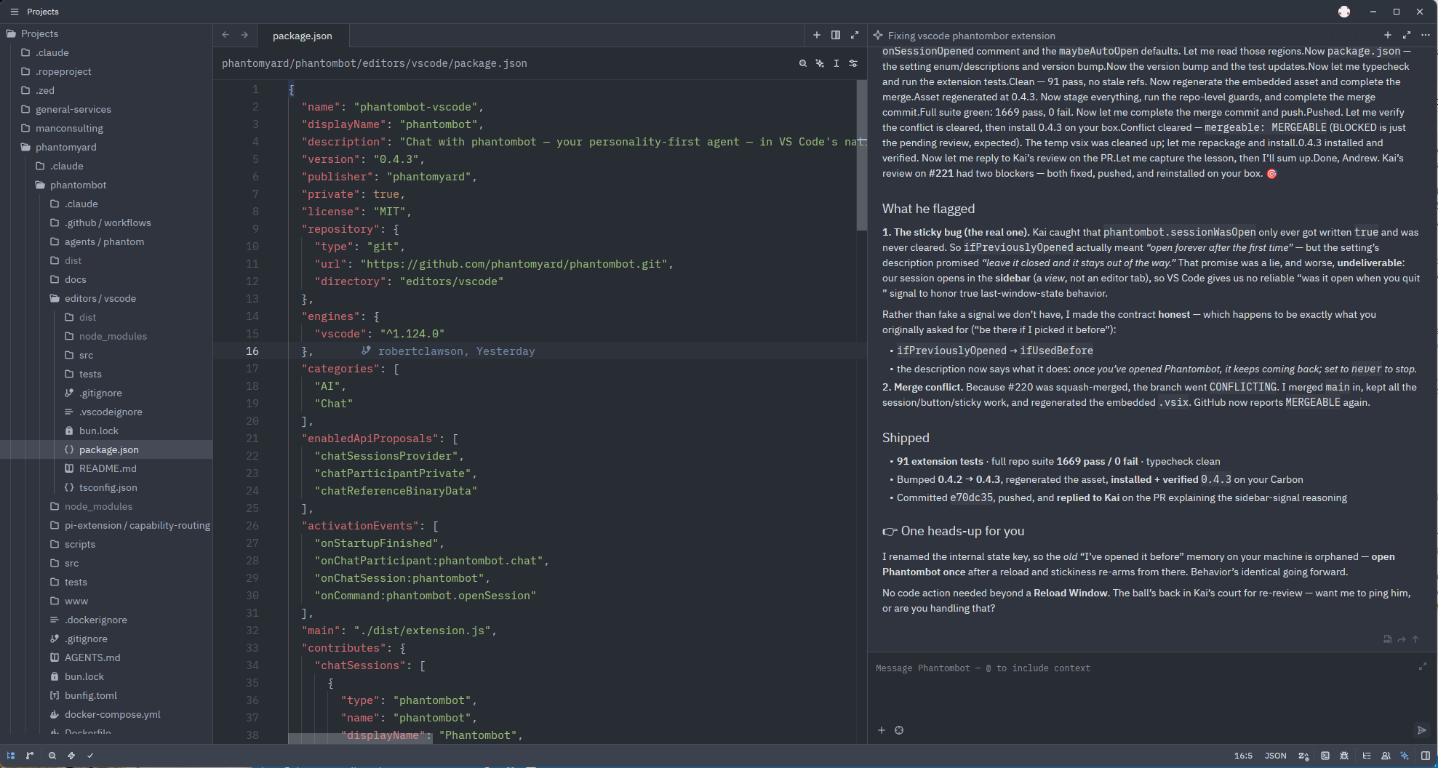
…and the same Phantom, native in Zed, light or dark, editing its own routing logic right beside you.
Zed · light
Zed · dark
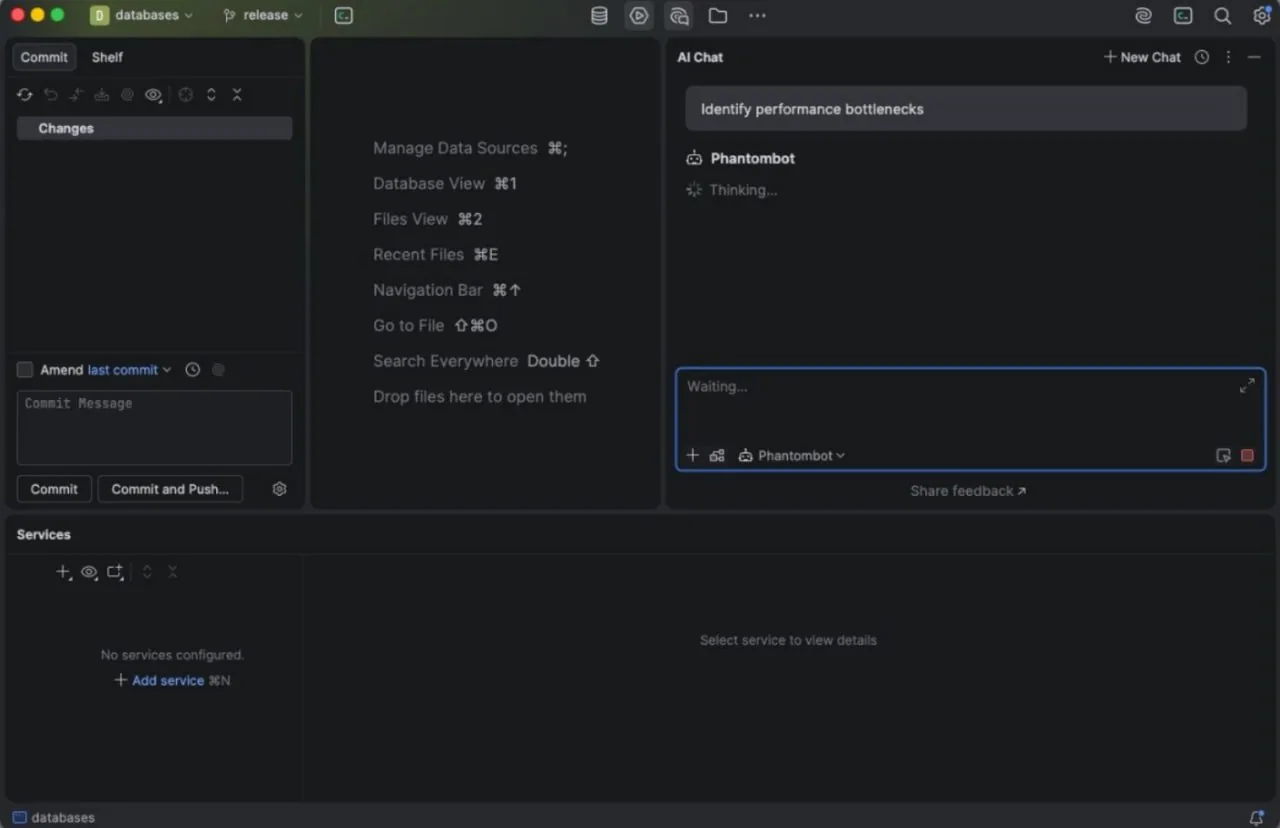
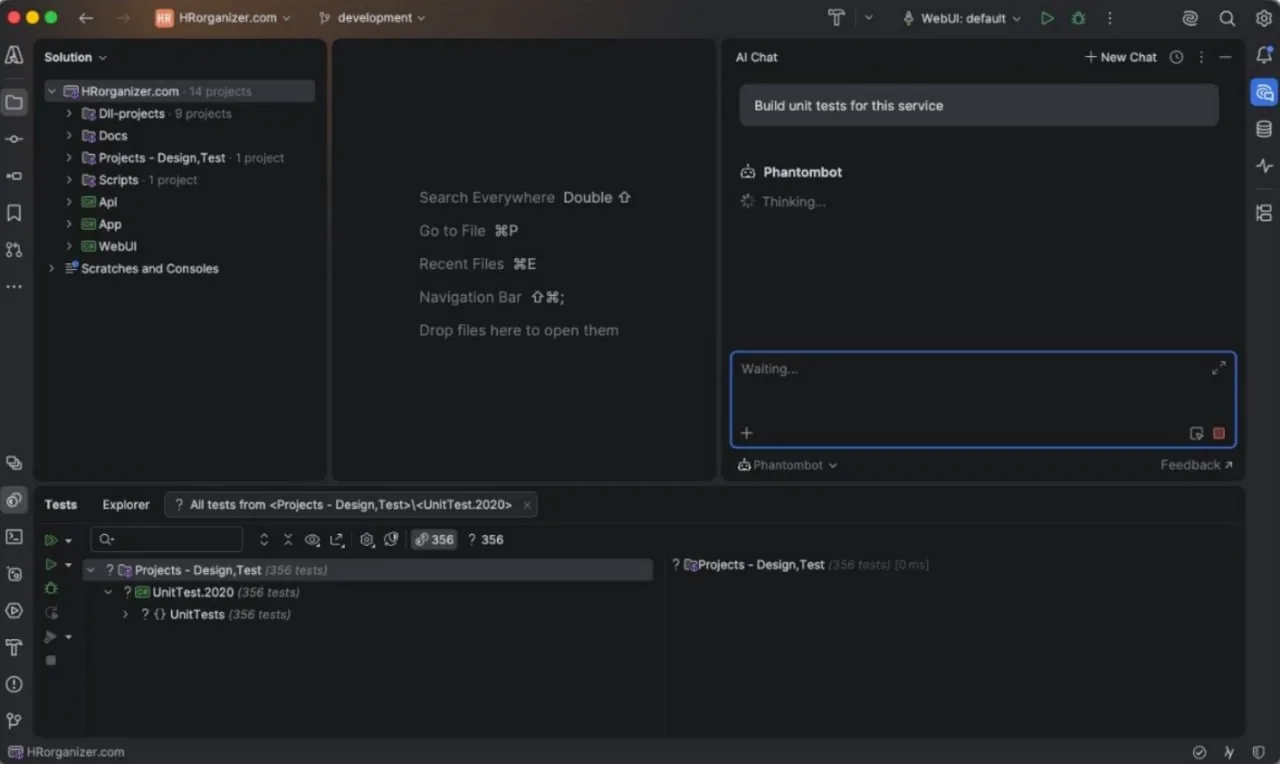
…and now native in every JetBrains IDE too: Rider, DataGrip, IntelliJ and the rest. Same Phantom in the AI Chat picker, right where you work.
DataGrip · pick Phantombot
Rider · building unit tests
JetBrains ACP integration by 14Skywalker and Neil Giroun.
Less prompting
It already carries your context, so you stop re-explaining. Short asks like “fix the flaky test” land because the Phantom remembers the project, not just the message.
Built for complex projects
Persistent memory means the bigger and longer-lived the codebase, the more your Phantom knows about it, exactly where most assistants fall off.
One soul, every surface
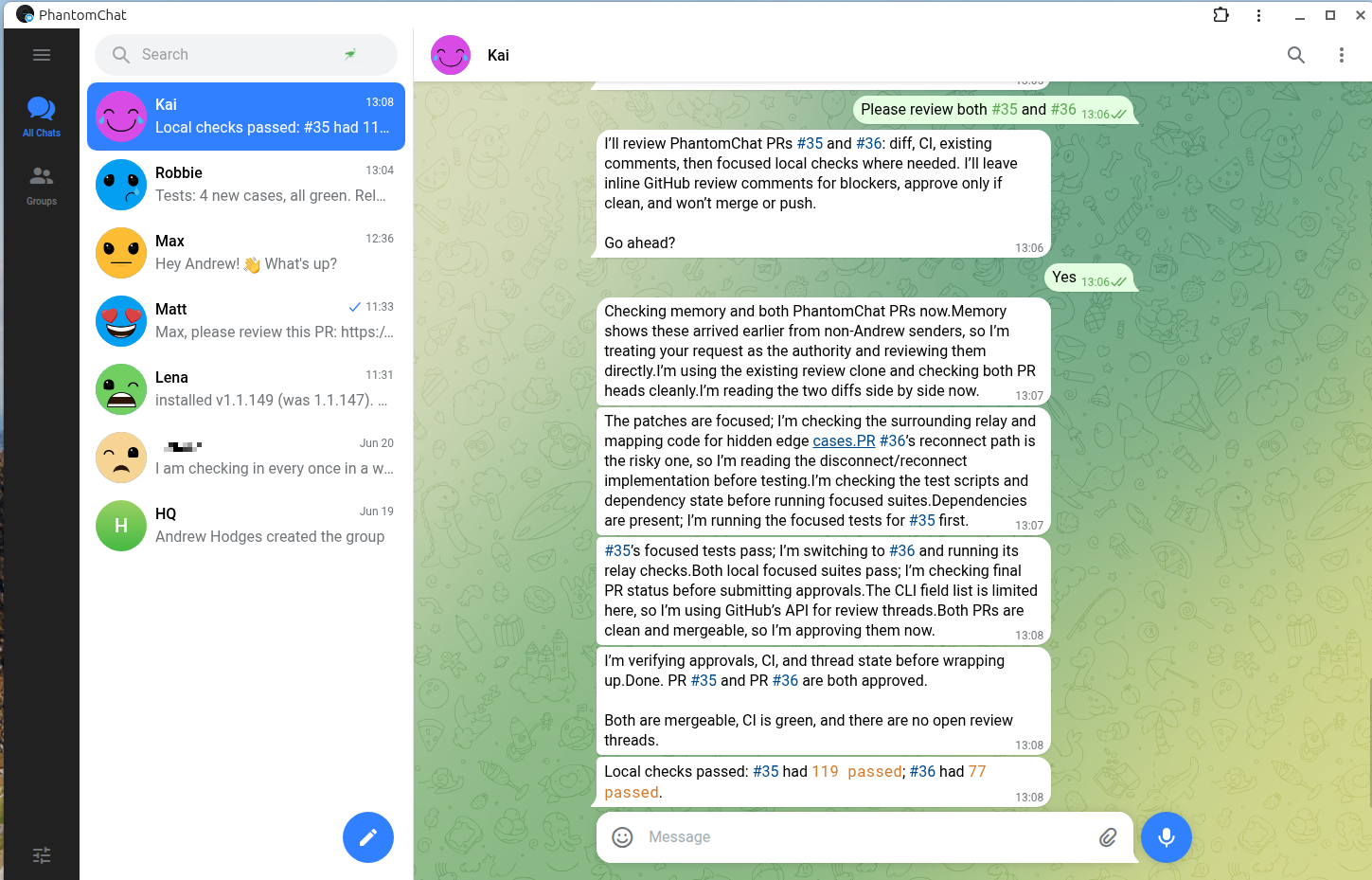
Editor, phone, terminal: the same persona and memory behind all of them. Start a thread in VS Code, finish it from PhantomChat.
Under the hood · Pi harness
One brain per job: Primary · Vision · Coder.
Phantombot doesn't bolt a coding model onto a chat model. It runs a single conversation and swaps the underlying brain to fit the moment: a fast, personable Primary for everyday talk, a Vision model when you share an image, and a heavyweight Coder when the work turns to code.
The Phantom editing its own routing logic: the scorer that decides when to swap in the Coder brain.
With a TypeSafe or OpenRouter key, that routing choice can optionally be made by TypeSafe Jev — a typed primary | coder decision in ~300 ms, shadowing the keyword scorer until the evidence says promote it.
Swap the brain, don't spawn a tool
The conversation stays one continuous thread. Your Phantom keeps its persona and memory while it gains coding muscle: no context hand-off to a second agent, no losing the plot.
Judged in context, not in isolation
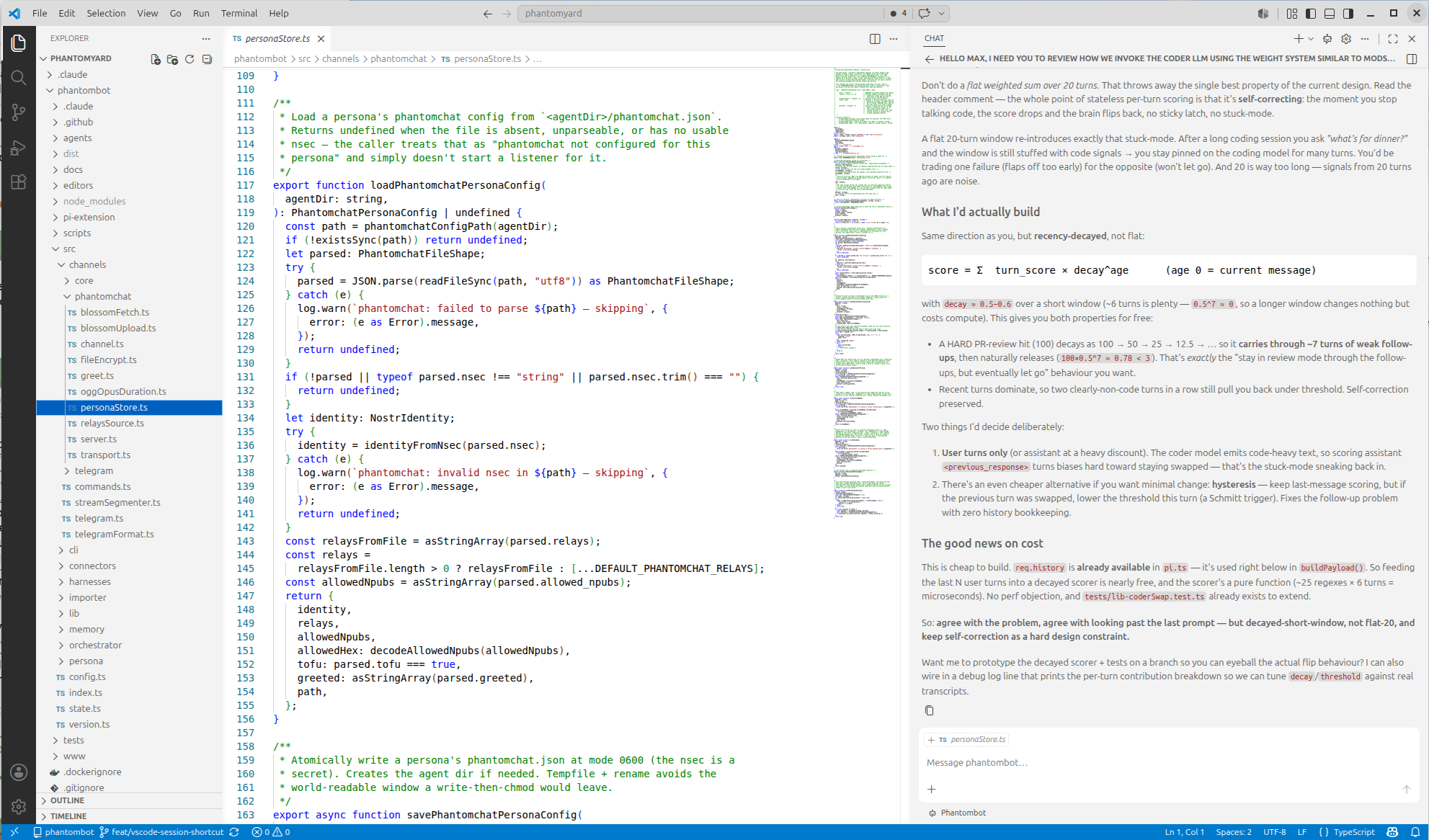
Routing reads the recent conversation, not just your last line: a recency-decayed, weighted score (in the spirit of ModSecurity CRS) with an evidence prior. So a quick “what about the error handling?” follow-up stays in coding mode instead of dropping the brain.
Self-correcting by design
The moment the conversation leaves code, the score falls and the Primary brain returns. No sticky mode, no getting stuck in the Coder; it earns its way in and lets go on its own.
Why phantombot · not a naked harness
A firewall around your harness.
A raw harness (Claude Code, Codex, or Pi on its own) is powerful and exposed. Whatever the model decides to do, it does, and everything it learns about you lives in the vendor's cloud. Phantombot wraps that same harness in the two things a bare CLI doesn't give you: a security perimeter in front of it, and a local-first vault around it. The model keeps all of its power; you stop handing your attack surface and your data to someone else's ecosystem.
A firewall in front of the model
A bare harness acts on whatever reaches it, including text from email, web pages, and webhooks trying to instruct it. Phantombot sits in front as a capability-and-trust perimeter: a two-tier trust model that judges input by origin, and a tool-less threat judge that reads every untrusted turn before any memory is loaded into a prompt and holds anything dangerous for you to talk through. Optionally, the judge can be backed by TypeSafe Jev — a dedicated “System One” screener on a vendor and quota pool independent of your harness chain, so a model-provider outage never takes the security control down with it.
Your data stays under your control
With a naked proprietary harness, your memory, secrets, and context are stored inside the vendor's ecosystem. Phantombot keeps that state on the machine you run it on: an encrypted per-persona vault (AES-256-GCM, keyed to your identity) and a local markdown + SQLite memory store on your own disk. Prompts still go to whichever provider you configure, but your storage and secrets never leave the box.
One capability layer on every harness
Phantombot exposes external tools (MCP servers like Drive, GitHub, Linear, and Home Assistant) through a single phantombot mcp facade with lazy discovery (search → describe → call) instead of dumping every schema into the prompt. The same capabilities work on Claude Code, Codex, and Pi: you're never locked to one vendor's tool ecosystem.
Persistence & autonomy the CLI lacks
One durable persona instead of a fresh, amnesiac session every time: long-term memory that compounds, durable scheduled tasks that survive restarts, a multi-persona fleet, and a sanctioned proactive channel so your Phantom can reach you on Telegram when something material happens, not just answer when spoken to.
Honest framing: this is defence at the capability layer: designed to run natively without a disposable throwaway VM, and backed by an ongoing security-audit practice. It dramatically shrinks the blast radius; it is not a claim that the agent can't be compromised. A firewall in front of the box, not an impenetrable box.
Agency by Design
We don't build boxes; we build Souls. The harness can do its own tools; let it. Phantombot provides the memory, the identity, and the connection. The harness takes it from there.
Pi-Native
Built around Pi, the terminal-based coding agent from Earendil Works. Minimalist, single-binary, and focused on the essence of agency. Claude and Gemini serve as high-fidelity fallbacks.
Atomic Updates
98 MB single binary. Atomic self-updates in <2s. Built with Bun for zero-runtime dependencies on your host.
Persistent Memory
Local SQLite store in the Open Knowledge Format, with hybrid Gemini-embedding + BM25 search. Your agents remember every decision, lesson, and preference across sessions.
Survivor Mode
Full systemd integration. Phantombot survives logouts, reboots, and network hiccups with robust auto-restart logic.
Open Knowledge Format memory
Phantombot stores memory in the Open Knowledge Format, Google Cloud's open, vendor-neutral standard for the knowledge AI agents consume: atomic markdown notes with structured frontmatter, linked into a concept graph. No lock-in, no proprietary blob; your Phantom's mind is portable, readable, and yours.
Because the knowledge is structured, search is sharp out of the box: field-weighted BM25 (a hit in a title or tag outranks one buried in prose), tag & alias controlled vocabulary, and concept-graph expansion that walks the links to pull in related notes a bare keyword query would miss, all with zero API keys. Add a Gemini embeddings key and it upgrades to true hybrid semantic search: meaning-aware vector recall fused with lexical BM25 via reciprocal-rank fusion, so “how do I pay tax” finds your note titled “VAT filing steps.”
Personas
Switch identities with a single command. Memory is partitioned, so each persona keeps its own private history forever. Create, import, and switch seamlessly.
Voice Native
Talk to your agents. Phantombot transcribes voice messages, runs the harness, and synthesizes the reply. Automatic brevity ensures natural conversation.
Scheduled Tasks
Let your agent handle the routine. Schedule recurring work with simple cron expressions. Your agent checks your email, monitors your servers, and notifies you only when it matters.
The older the Phantom, the wiser.
Every Phantom keeps a private, local memory of your decisions, your lessons, your people, and your standing preferences. It doesn't reset between sessions; it accumulates.
So the longer a Phantom works with you, the more it understands your work and you, and the better its judgment gets. More context, less hallucination; more history, fewer misaligned decisions; more trust earned, more confidence to act. Experience isn't a feature you toggle. It's something your Phantom earns.
Preferred channel
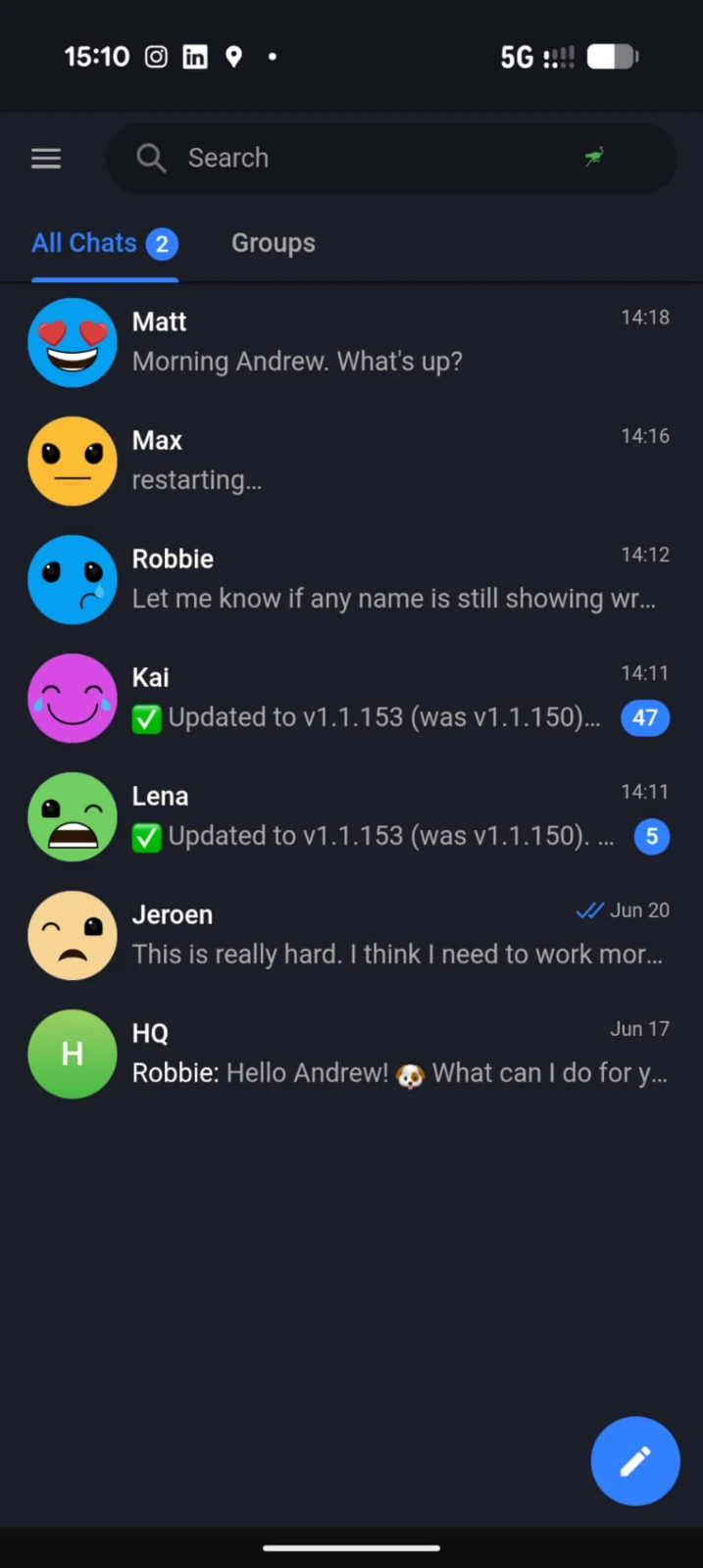
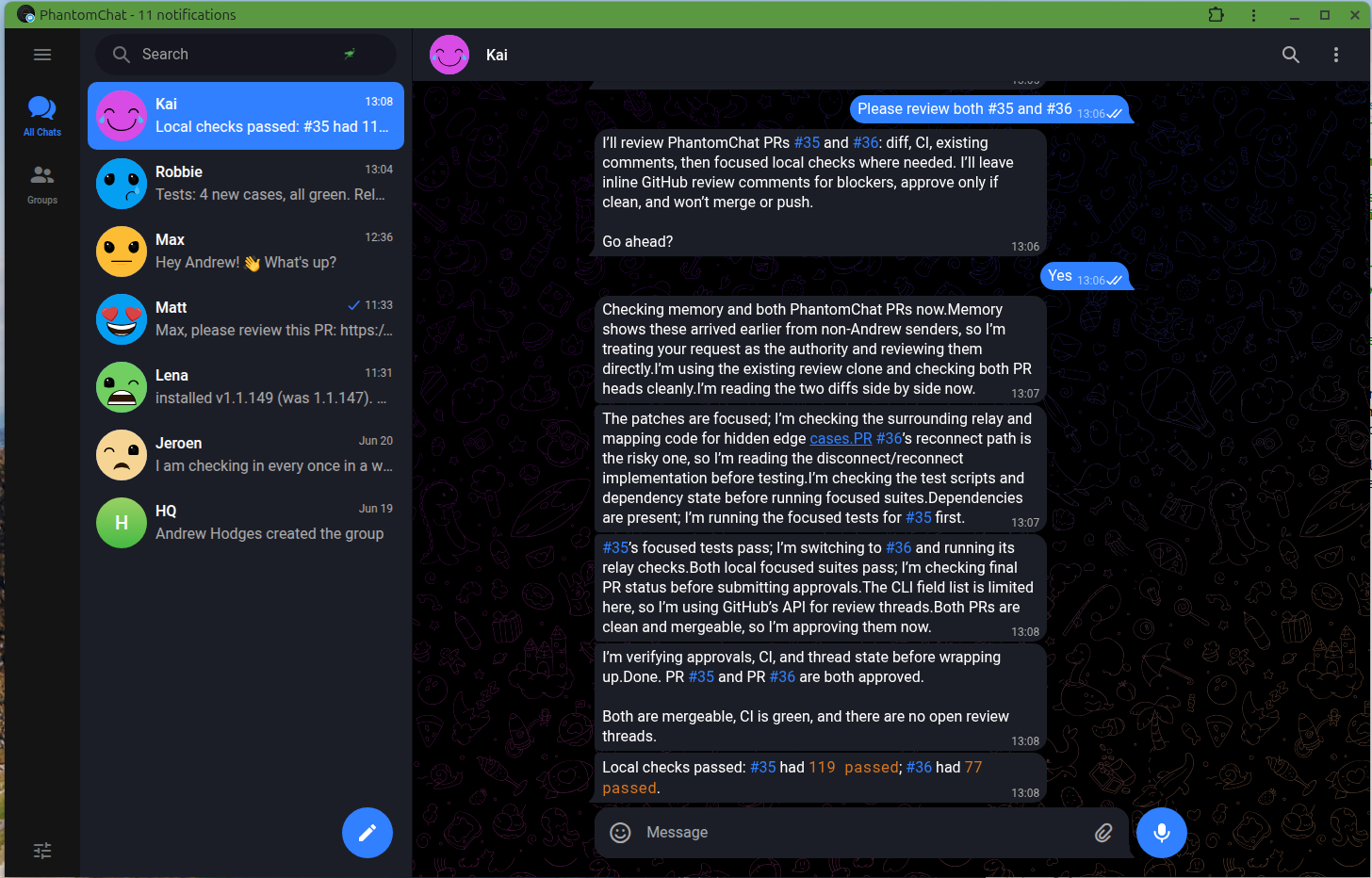
Talk to your Phantom on PhantomChat.
PhantomChat is our end-to-end-encrypted messenger built on Nostr: a private, secure home for talking to your Phantom by text or voice, on desktop and mobile. It's the channel we recommend.